Impact
2 000+
Users reached through the product
60%
Faster design system setup and configuration
50%
Saved engineering costs through reduced handoff iterations
Overview
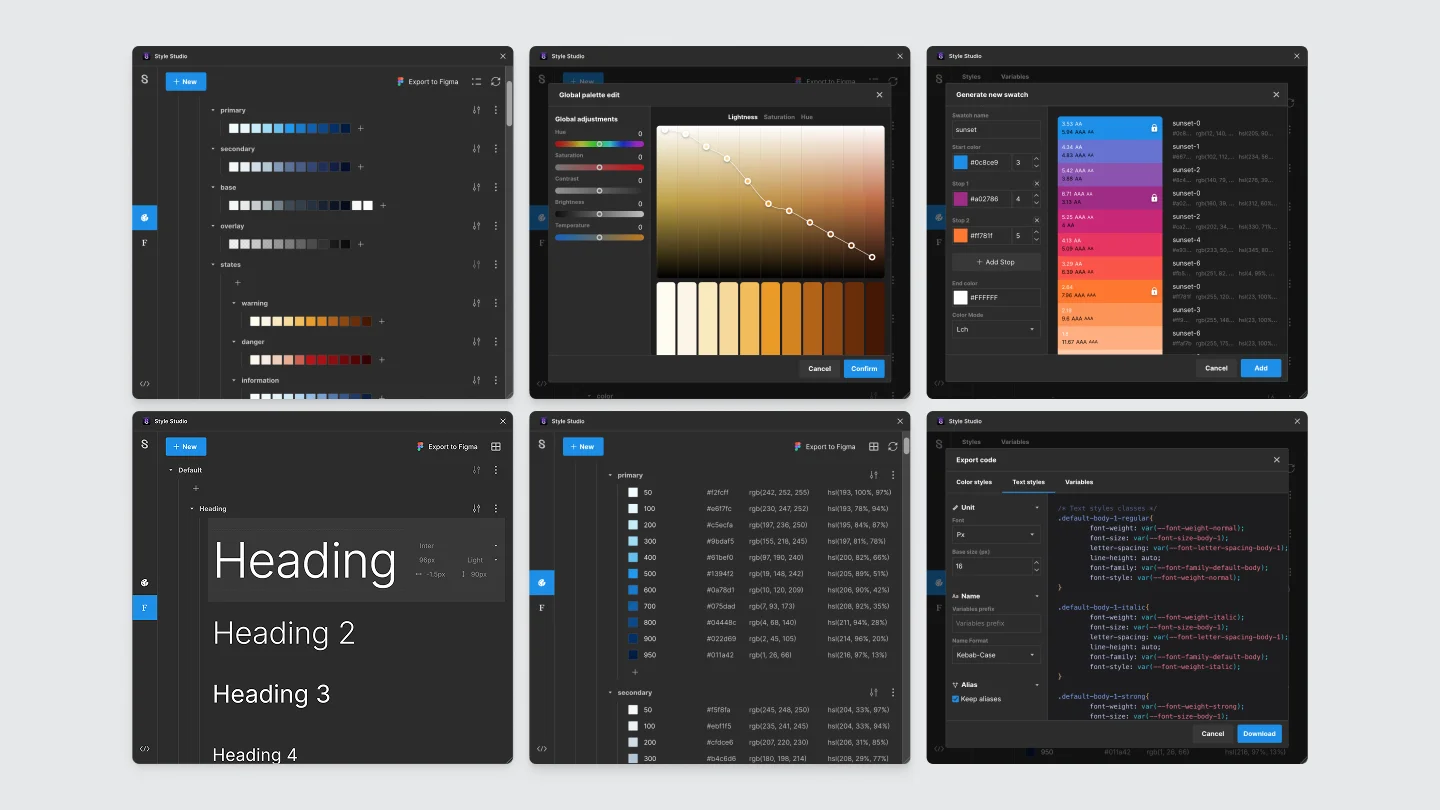
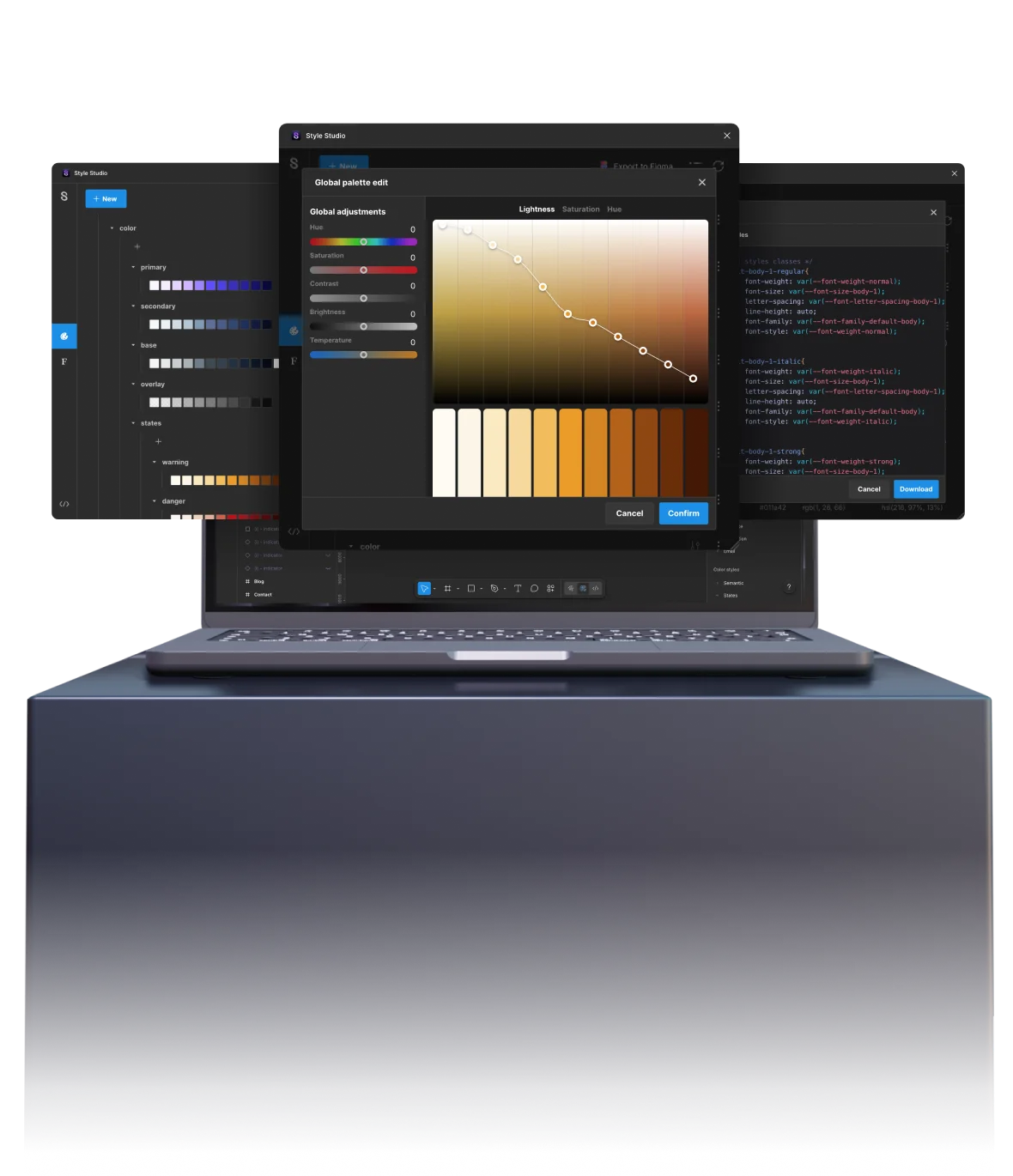
Style Studio not only allows Designers to create and edit styles at scale, but also to export them for developers.
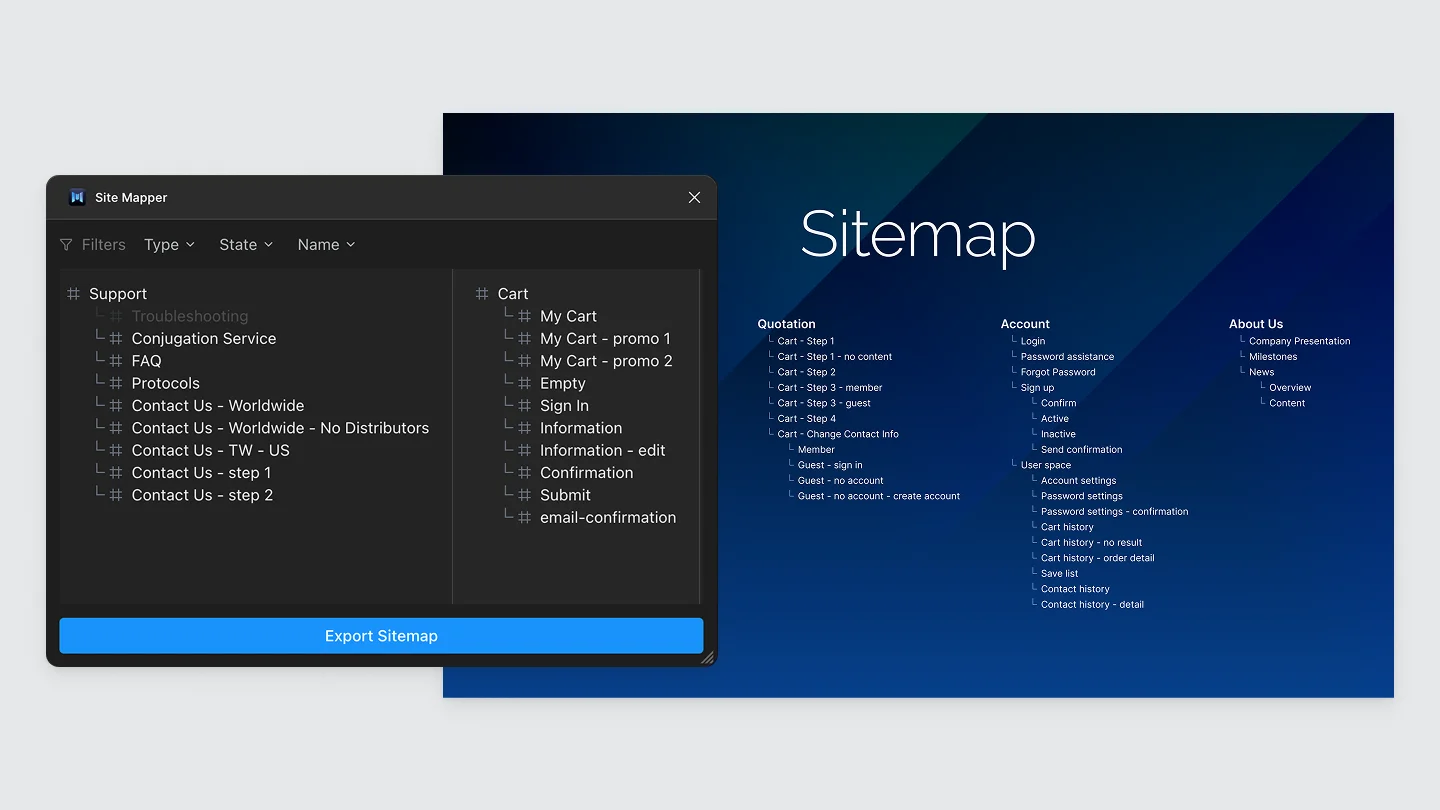
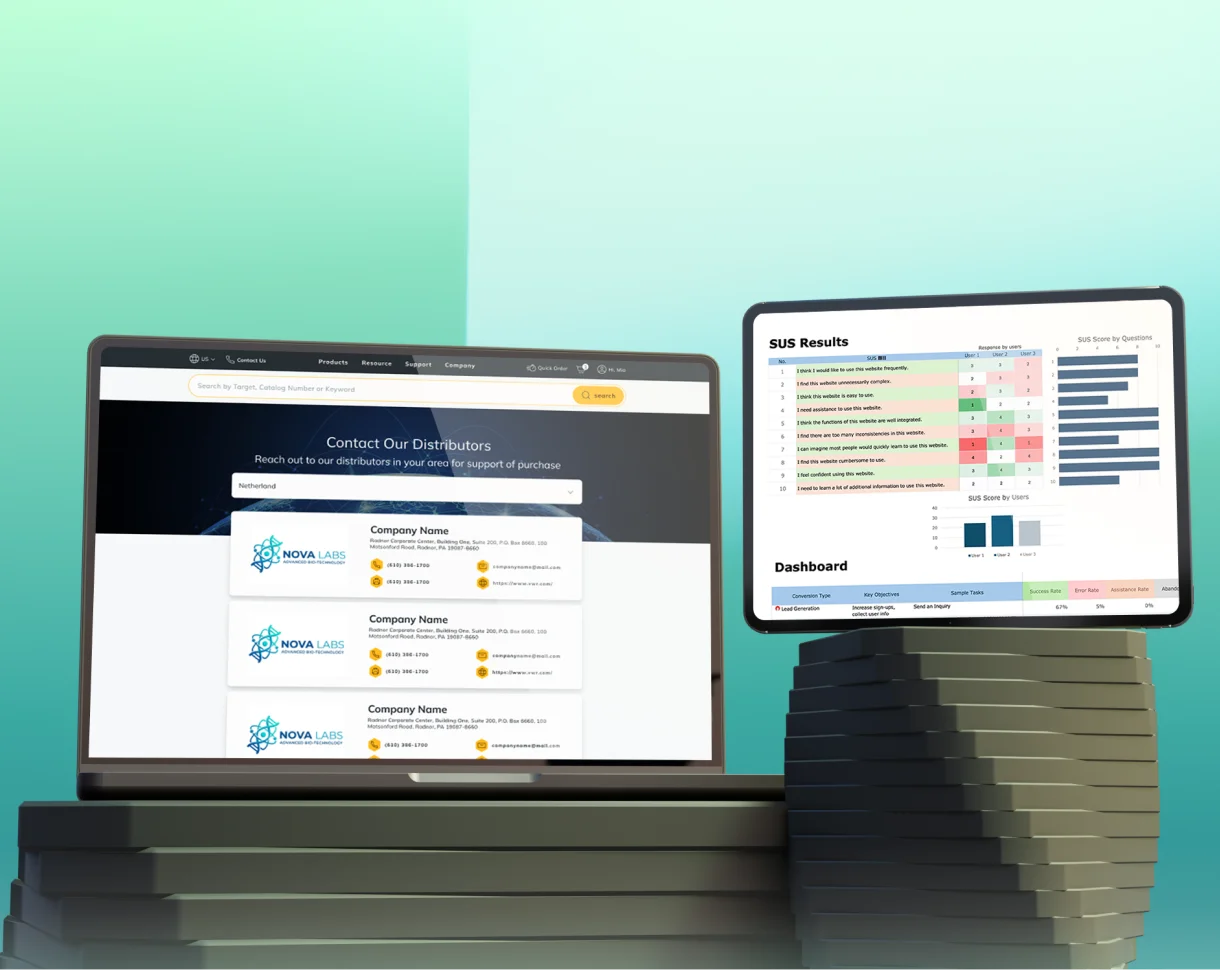
Site Mapper assists sales to create an interactive sitemap for fast navigation during stakeholder presentations.
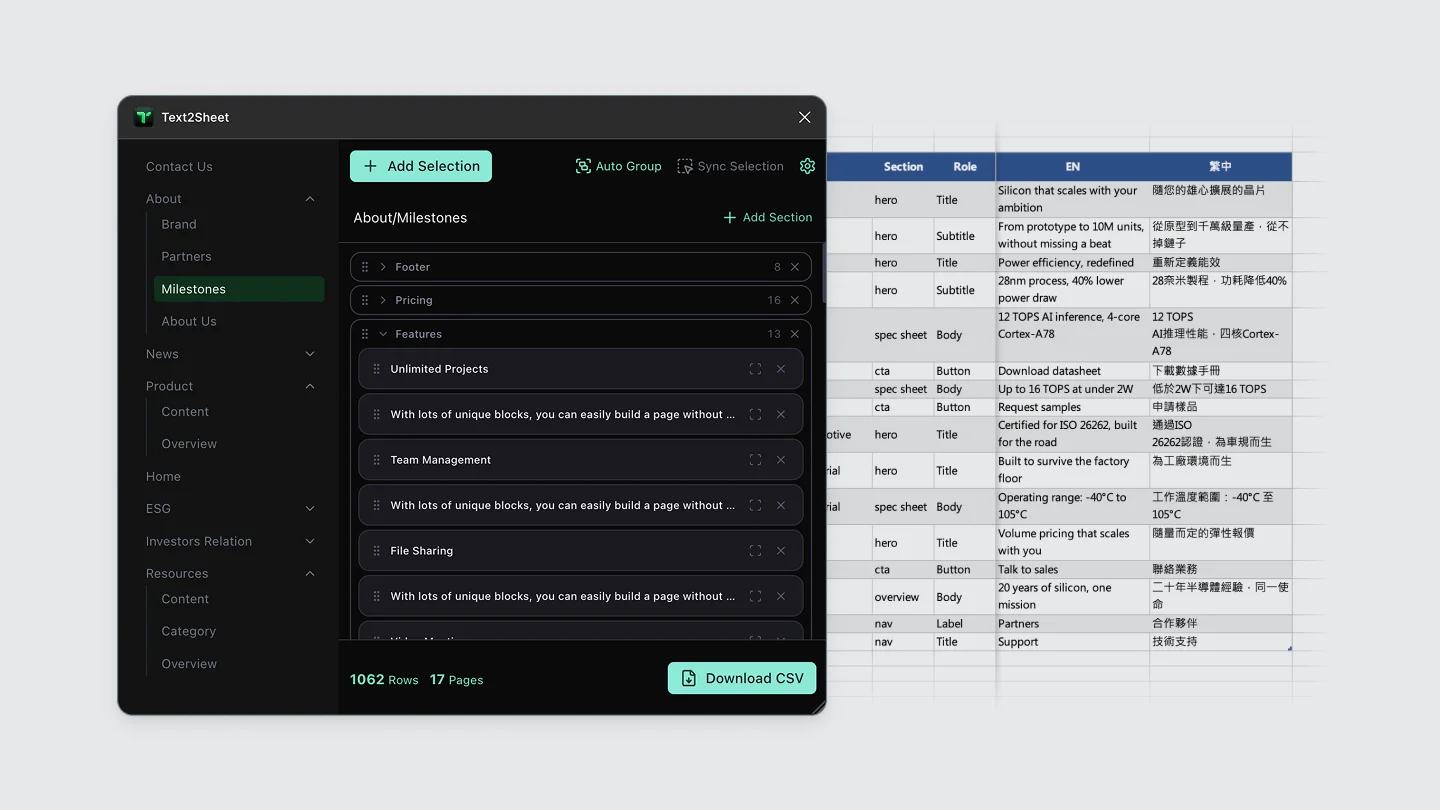
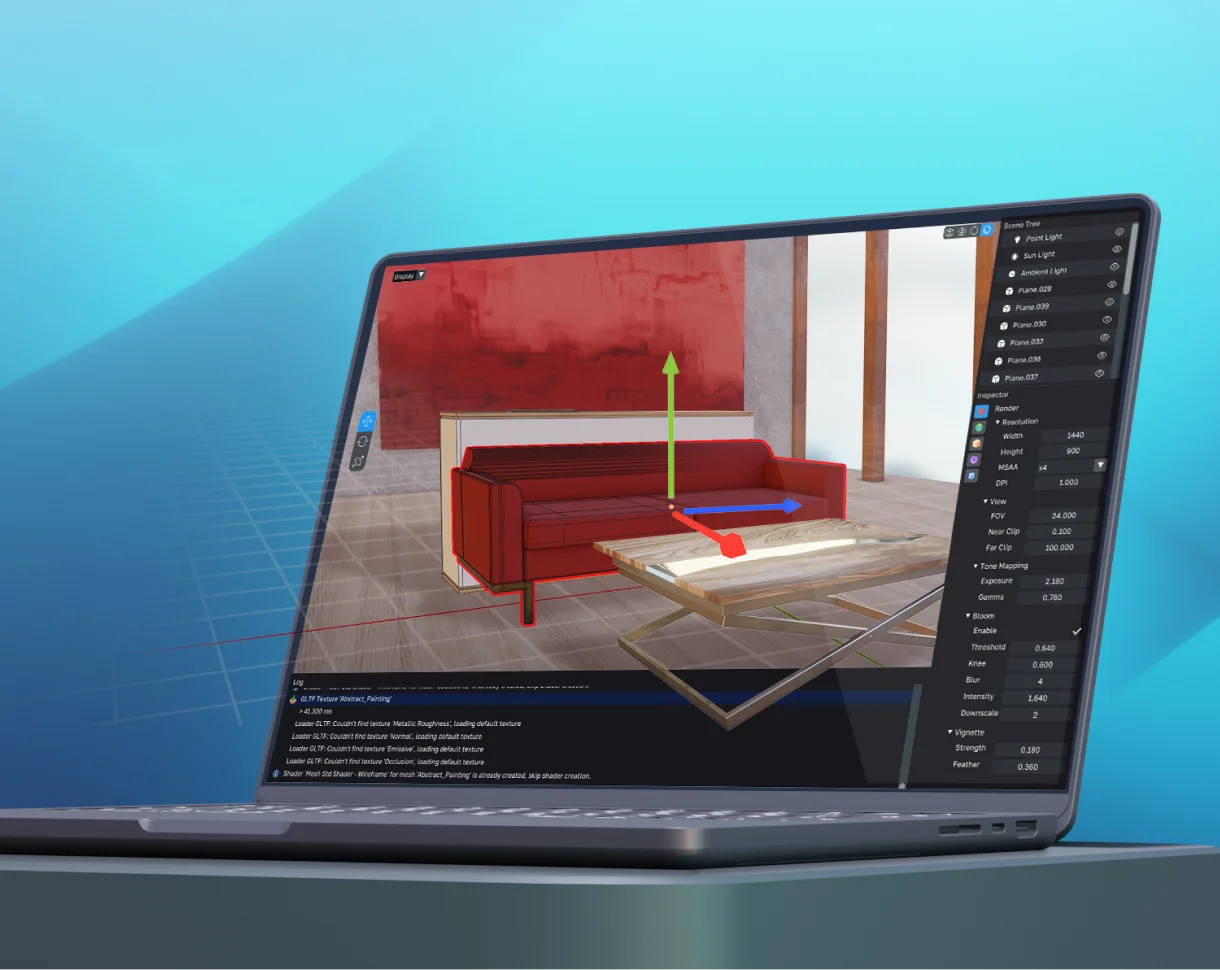
Text2Sheet allows managers to quickly export mockup text for client copywriting.
Challenge
Understanding why mid-budget contracts were taking too long to produce
The company needed a way to shrink production time, without adding headcount or slowing down quality. We sat down with Design, Sales, Development, and PM to find out.
Four recurring pain points came up:
Design System colors and typography needed constant manual adjustment
Navigating prototypes during client presentations was clunky
Exporting tokens to development had no clear process
Pulling copy from mockups for the client copywriting doc was fully manual
Approach
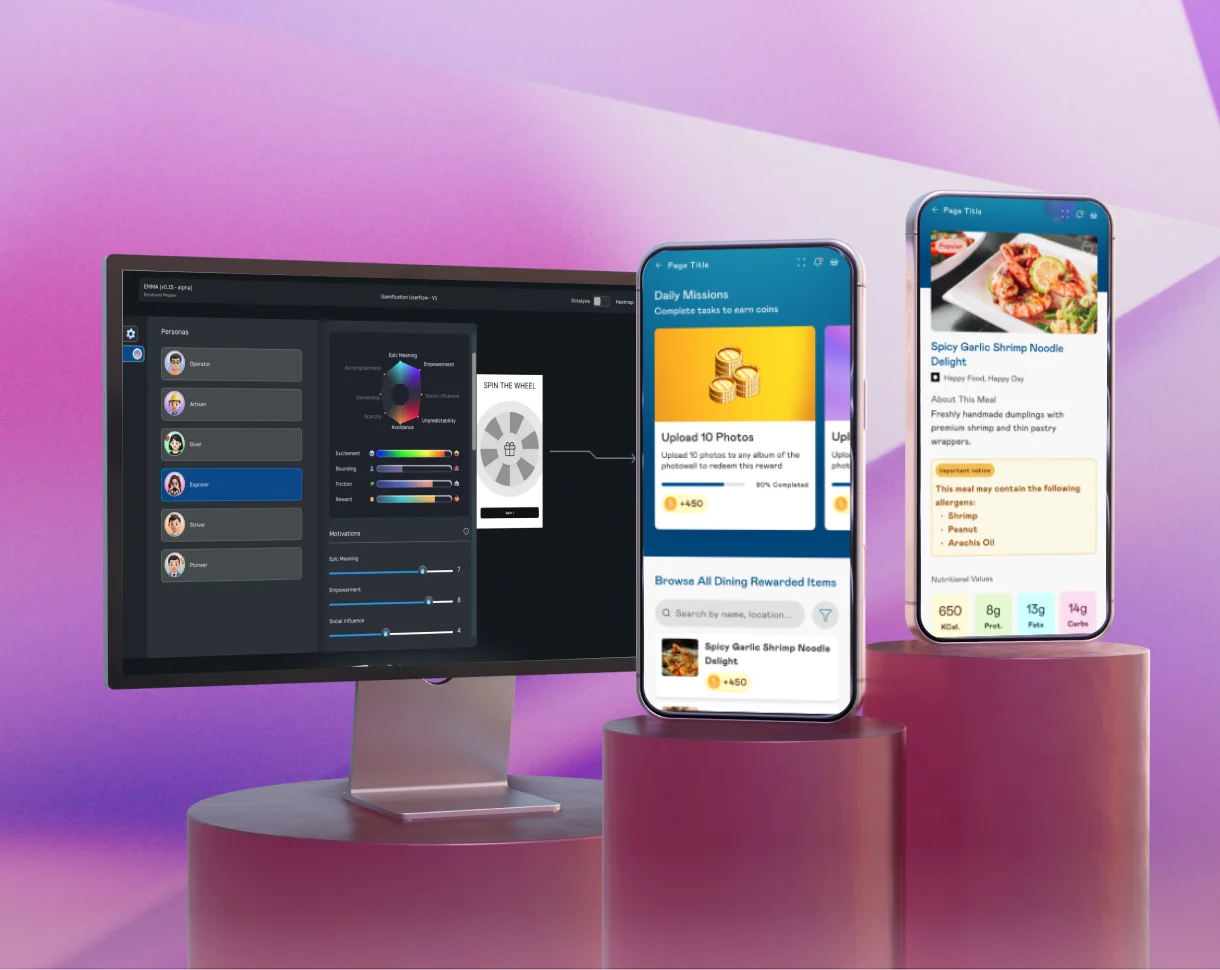
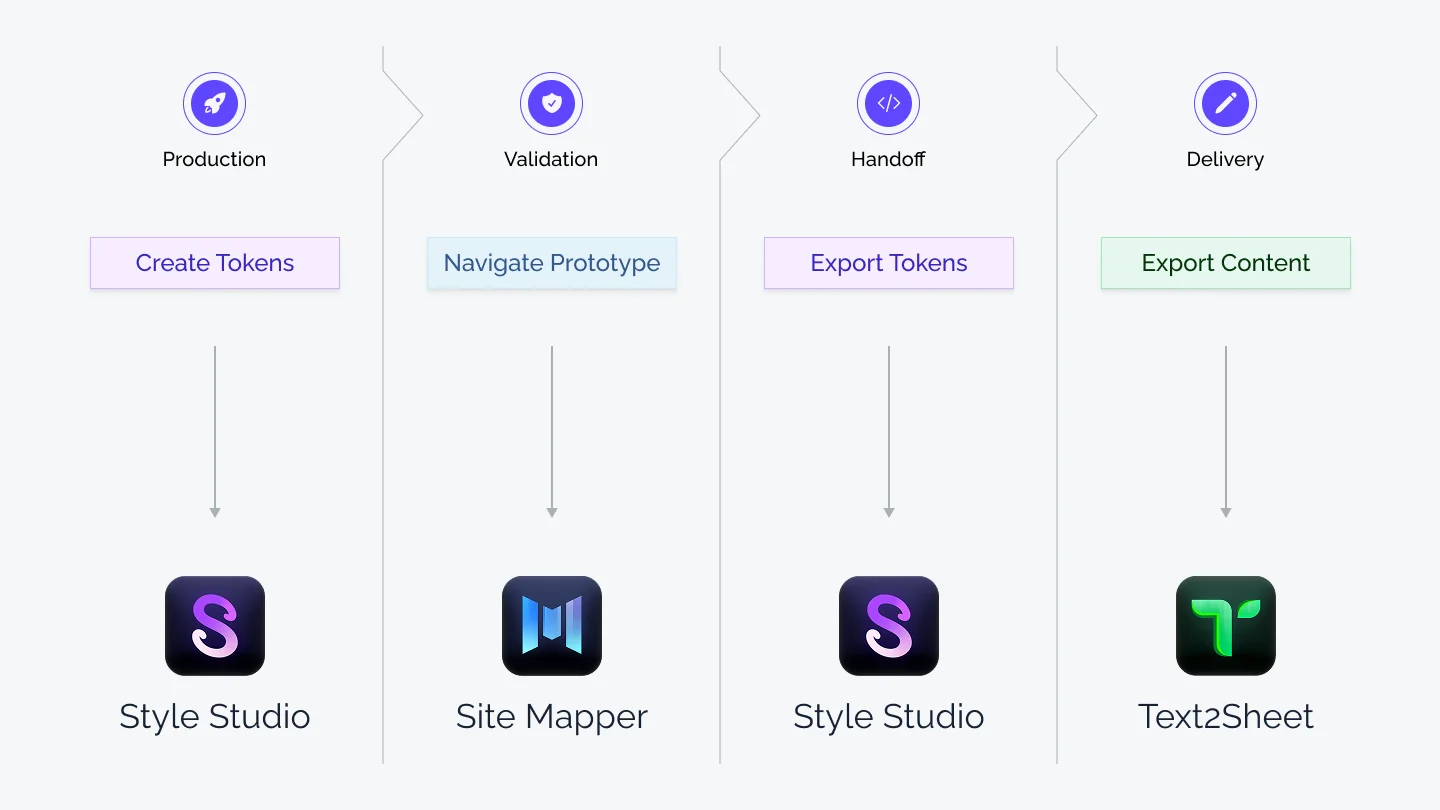
I split the fix into three plugins, one per workflow
Bundling everything into a single tool would have dumped all the work on designers. Instead, I segmented by need and audience:
Style Studio: token & style management for Design
Site Mapper: prototype navigation for Design, Sales, and PM
Text2Sheet: copy extraction for PM
What do designers and developers actually need from tokens?
I worked directly with other designers to define the features we needed. I also benchmarked existing design systems and plugins to make all the necessary features coexist in a coherent interface. I then exchanged with staff engineers to align token exports with their pipeline.
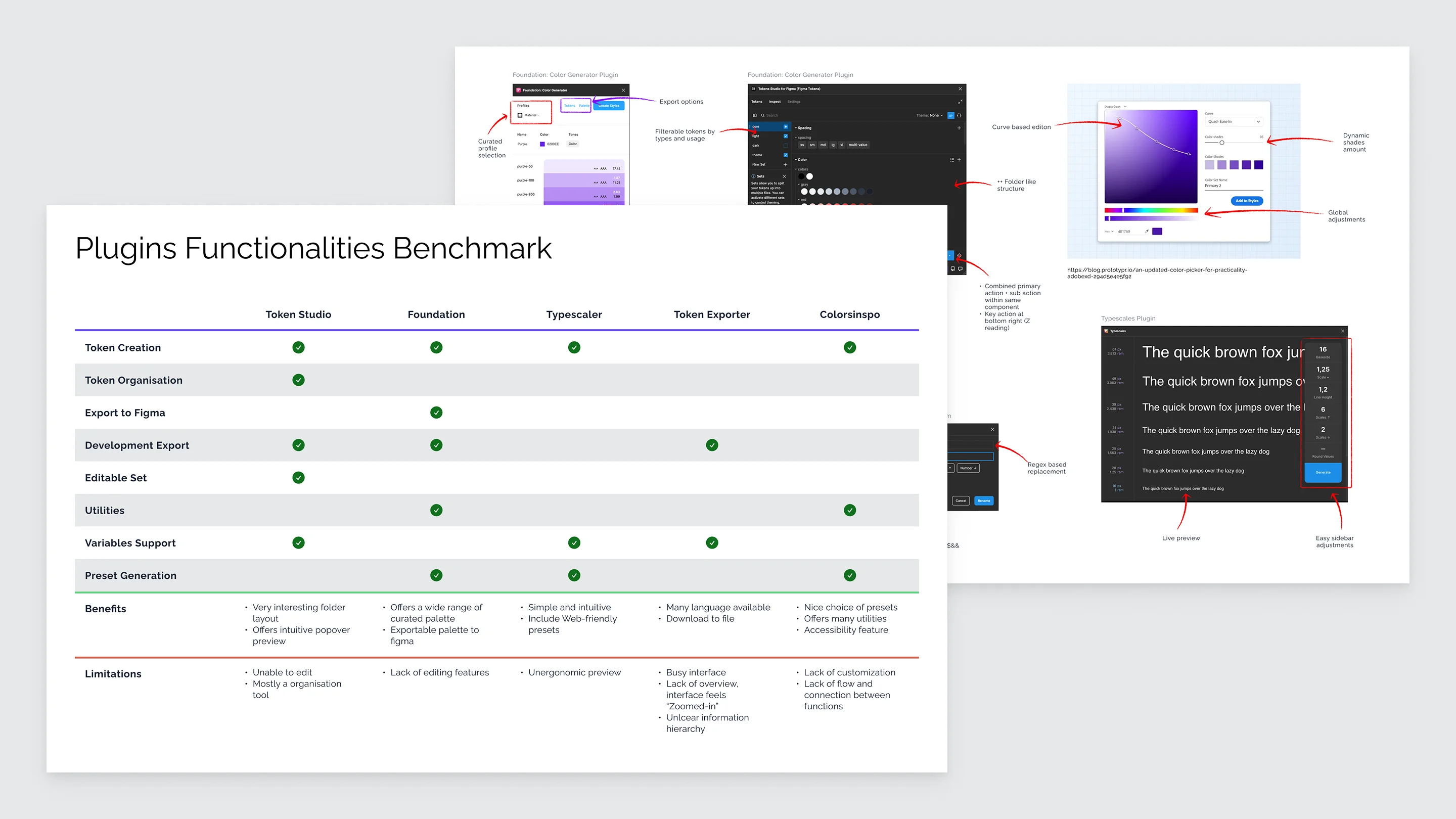
I picked and compared needed functionalities from other plugins, then defined what was working and what could be improved for each.
Consultants didn't want to follow the prototype flow
They felt constrained by the flow, instead they wanted to jump straight to a specific page, or see only a limited subset of the prototype. For this case, the fix was pretty obvious: auto-generate a sitemap so any exposed page is one click away.
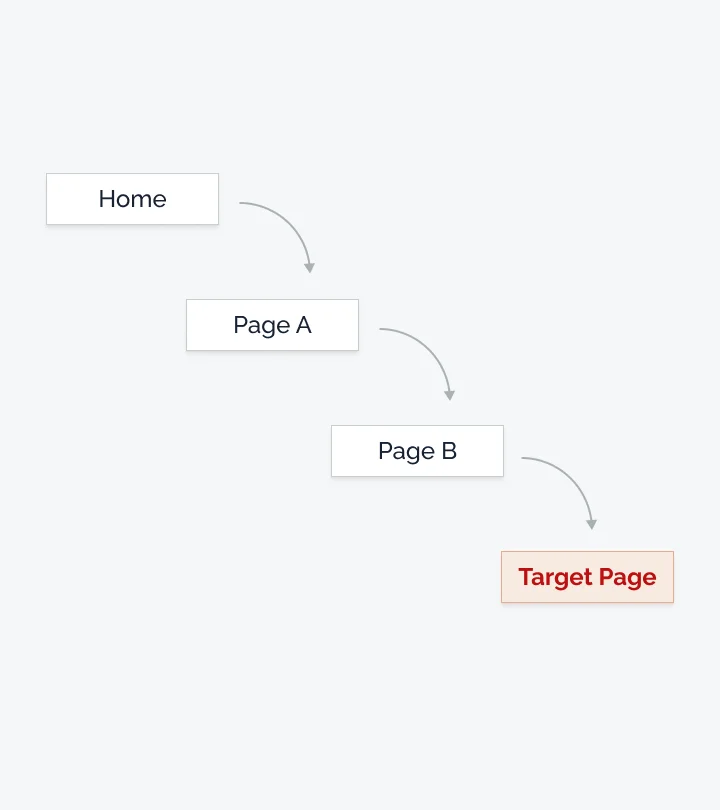
At the time, consultants had to go through multiple pages to access the one they actually wanted to show.
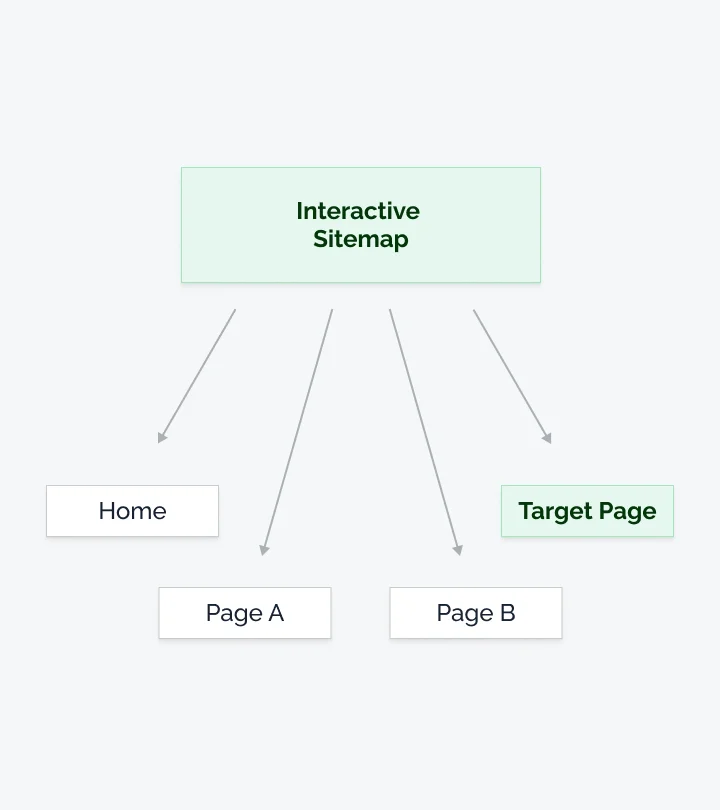
An interactive sitemap felt like the obvious solution as it would offer direct access to any pages.
Resolution
One layout didn't fit every element
Colors worked well shown as swatches, but fonts displayed the same way (i.e. small boxes) weren't convenient to adjust.
To answer this, I decided to switch the font to a full detail list so we could directly adjust fonts. However this layout made the list cumbersome to browse in the plugin's small window.
To offer flexibility, I decided to enable 2 layout options for colors and fonts, balancing quick scanning with precise editing.
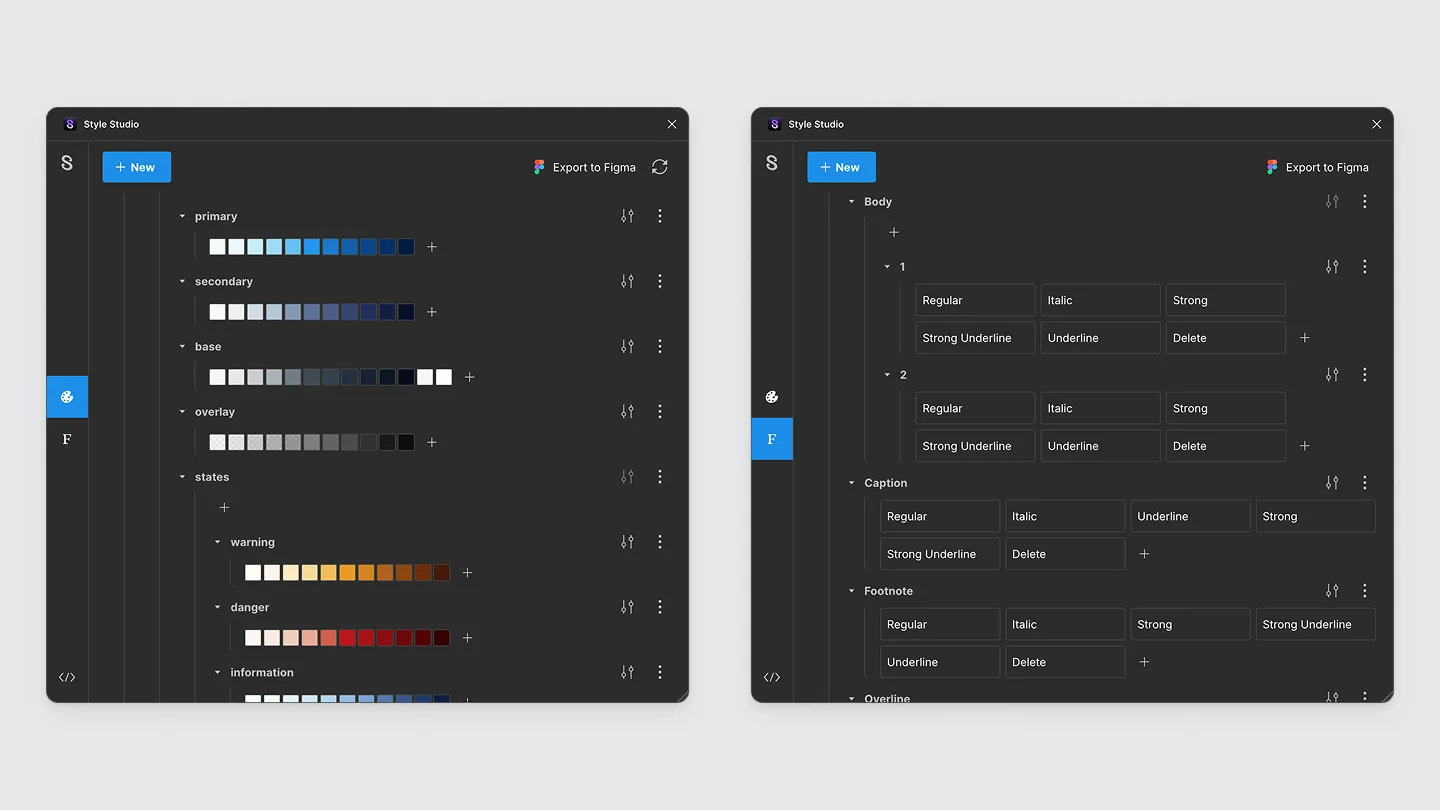
Before, all items were using a grid layout, which was efficient to clearly see the hierarchy, but not for editing fonts.
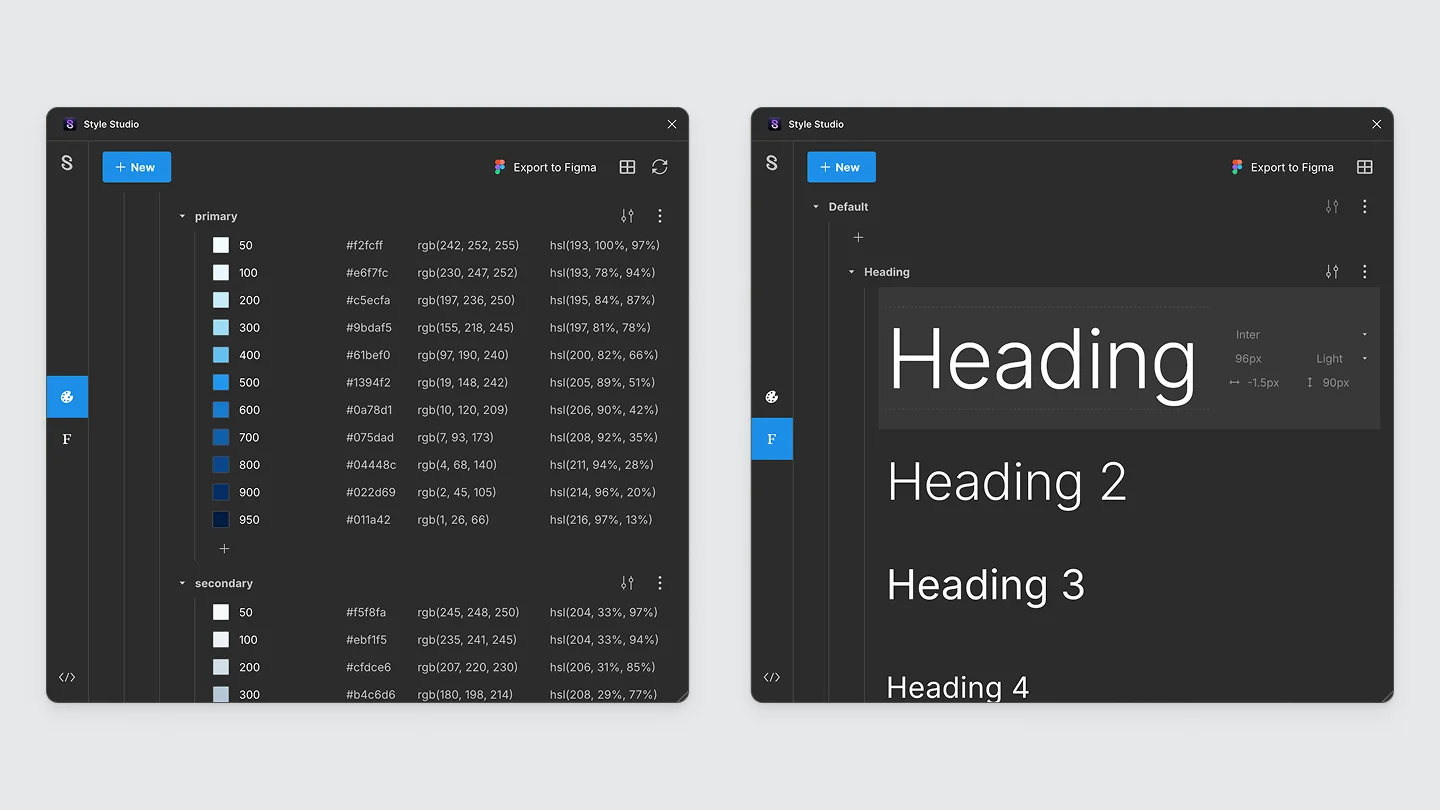
After, I decided to introduce a list layout to directly be able to edit the font or see the color values.
The initial tab bar made multi-level projects hard to navigate
For bigger projects with a lot of nested levels, the tab bar turned into an unreadable row, making it frustrating to find a specific tab.
I replaced it with an expandable tree view that mirrors the project's actual page hierarchy so navigating a multi-level project became straightforward again.
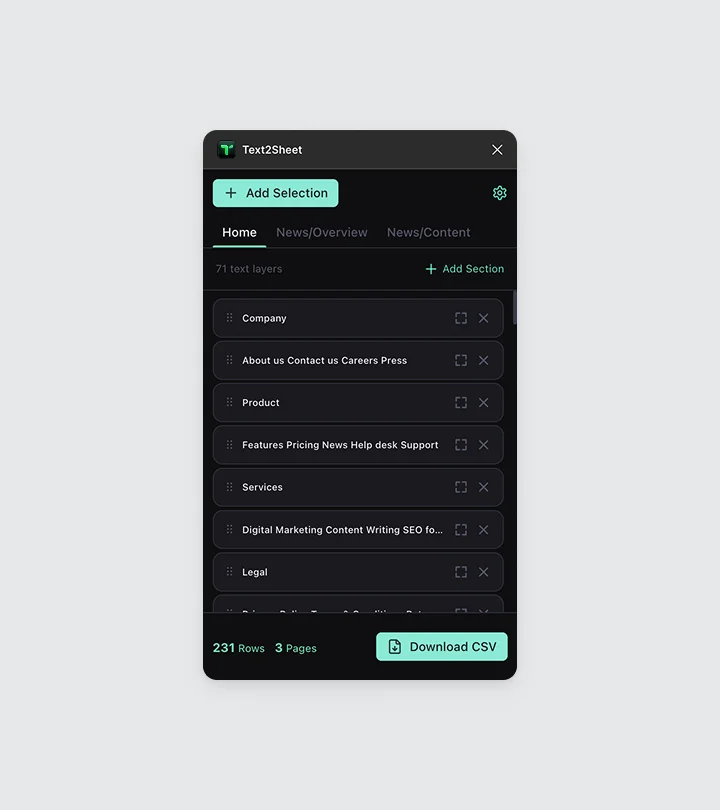
Before, pages were flattened on a simple tab bar, which worked fine for 5-page projects, but it quickly became cumbersome.
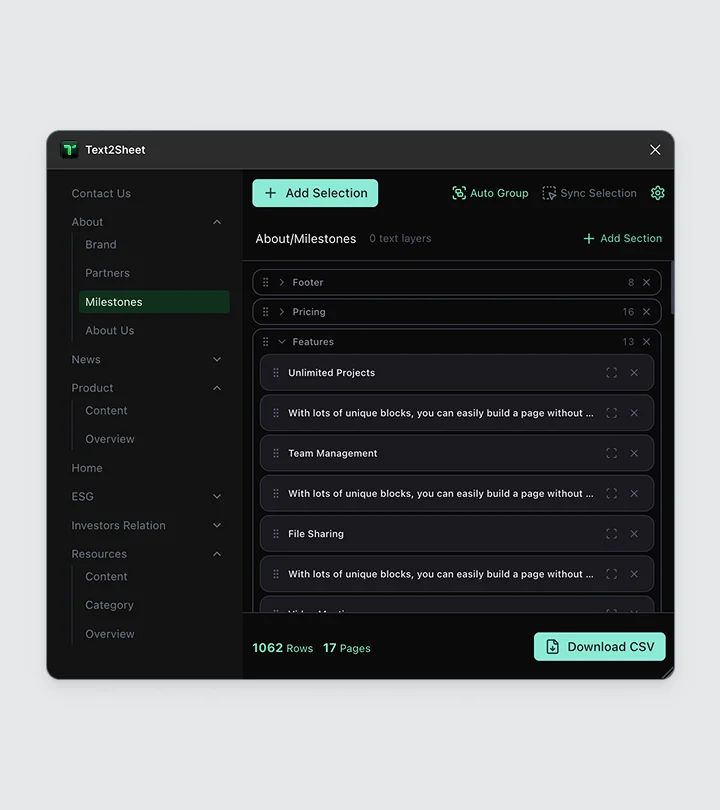
After, I decided to use a side tree view, which made multi-level websites much easier to navigate.
The first-load latency for bigger project needed to be fixed
The plugin ran fine on small files, but slowed to a crawl past 10+ pages.
I rebuilt the storage layer to store only node IDs and load each tab's data asynchronously, instead of loading everything upfront.
The initial load time dropped from 12 seconds to 89 milliseconds.
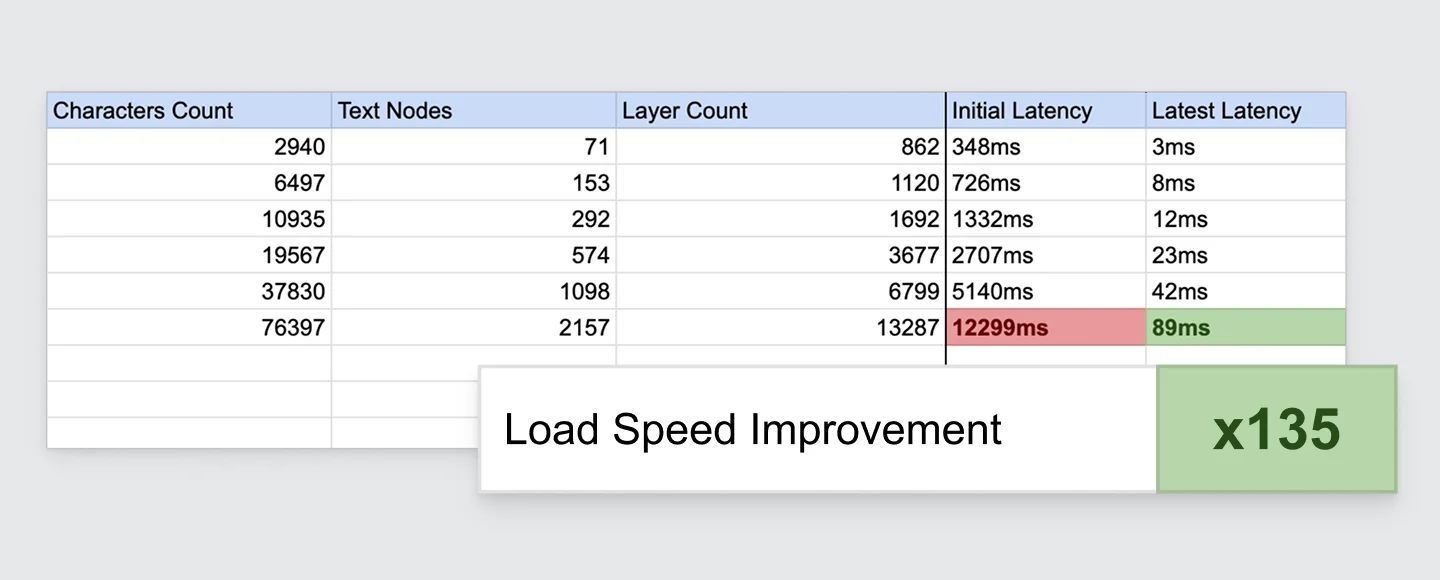
Rollout
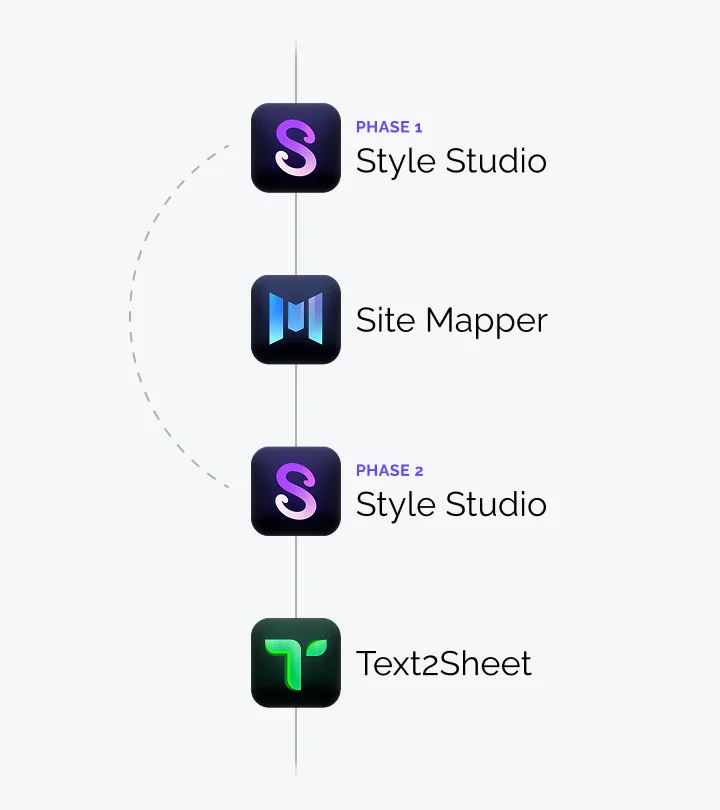
Each plugin shipped in phases, timed to departments urgency
After exchanging with managers, I sequenced work one phase at a time rather than shipping everything at once.
Style Studio went first as design needed relief fastest for upcoming projects.
Site Mapper went between Style Studio's phases, since it was quick to build, and would leave some time to get Style Studio's first feedback.
Finally, Text2Sheet came last, since its impact on the process was the least significant.
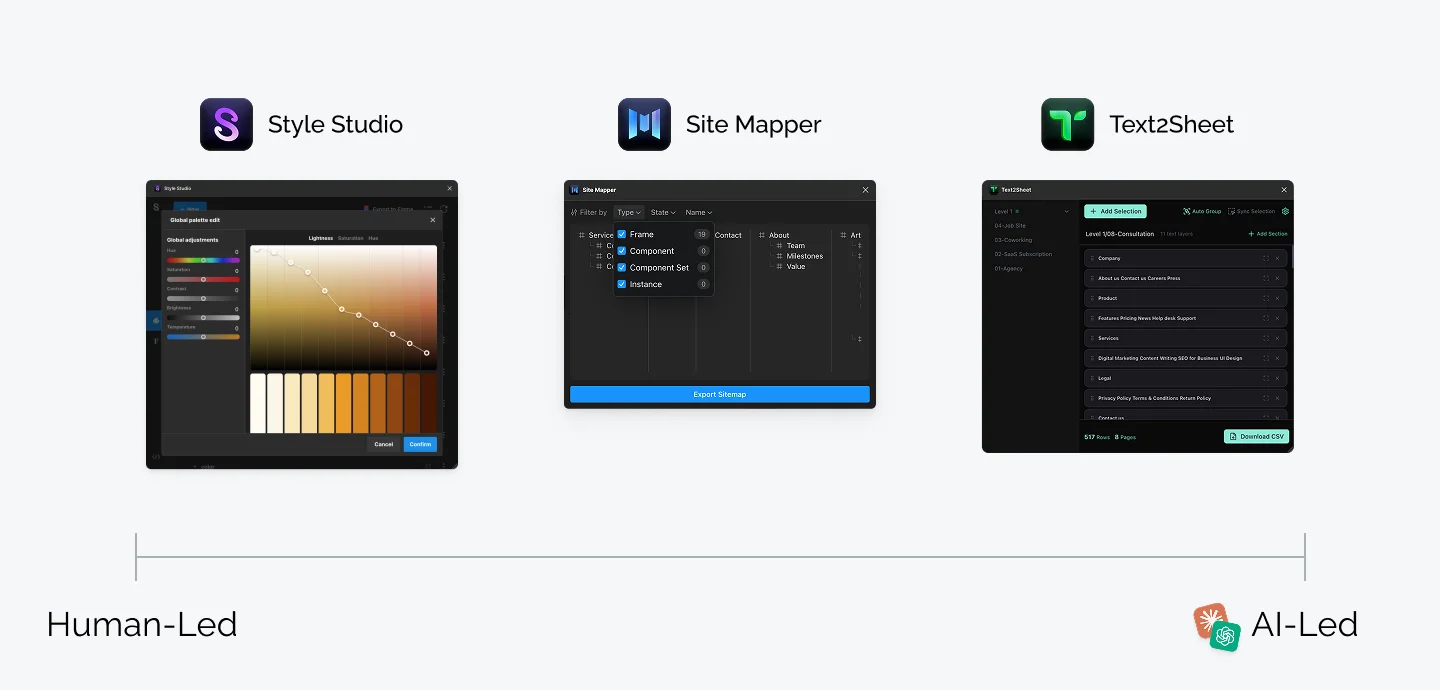
AI was leveraged according to each plugin's complexity and deadline
Style Studio complexity required tighter control over the UI, so I designed key screens first and used AI as an assistant during development while maintaining key architectural decisions myself.
Site Mapper was simpler, so a quick design draft was enough to validate direction, then AI handled most of the build.
As the deadline was becoming tight for Text2Sheet, I skipped design entirely, vibe-coded a first release, and brought AI back in afterward to refactor it.
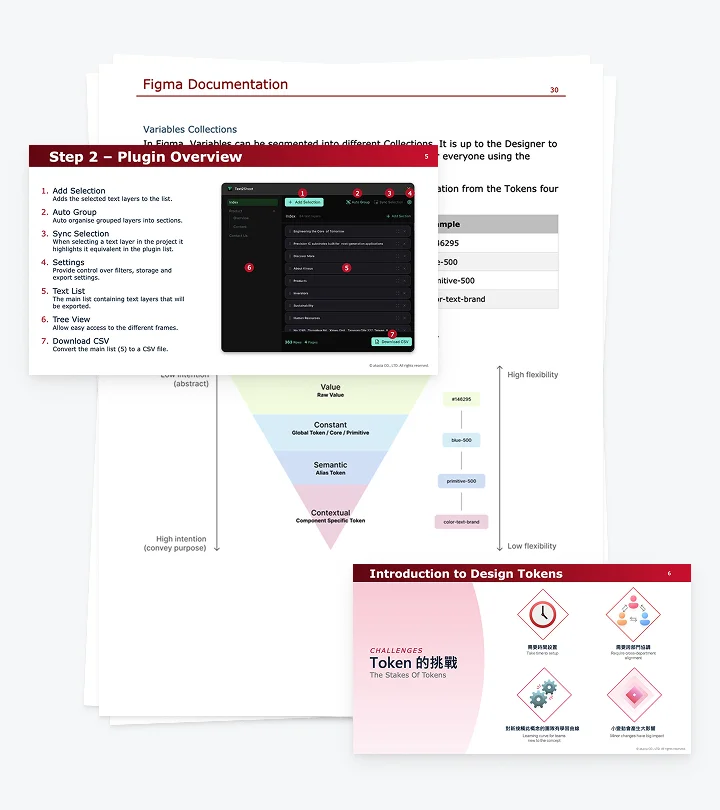
A tool nobody understands doesn't get adopted
I wrote cross-department documentation covering not just the plugins, but Figma best practices in general. The document included comment conventions, client prototype sharing, and more.
I decided to combine it with live training sessions for each department to close the gap written docs couldn't.
Outcome
The toolkit sped up design production by 60% & reached 2,000+ users
It accelerated Design System adjustments from 1 hour to 20 minutes, made handoff faster by reducing the loopback between designers and developers by half, and community feedback kept improving it after launch, like including Figma's sections in the navigation map or supporting manual variables reload.
Learning
Less over-engineering
Style Studio used Redux with async thunks for simple state management, more complexity than the plugin needed.
I now default to the simplest state model that works and scale up only when the data proves it's necessary.
Giving greater attention to the adoption strategy
Style Studio's token workflow still needs hand-holding for junior designers less familiar with design systems.
I set in-app guidance (tips, hints, onboarding) and documentation as next phase priority.
Rethinking the pipeline rather than a part of it
Text2Sheet fixed extraction, but it still sits inside a multi-tool export chain, which is why some PMs skip it entirely.
The next iteration would aim to centralize the export process into one tool.